January 21, 2026
Organizations and identity verification vendors are competing to create intuitive onboarding workflows that meet the demands of the modern consumer, prevent fraud, and comply with KYC/AML regulations. Given that 50% of users abandon onboarding, there’s a clear opportunity for organizations to optimize this stage of the identity lifecycle.
In competitive sectors like financial services, a premium user experience can be a key differentiator. Optimizing onboarding flows can significantly increase conversion rates, directly improving return on investment from customer acquisition efforts.
Biometric face verification with liveness detection, the technology that confirms whether the user is real, sits at the heart of remote onboarding. If you can improve the performance of face verification (measured in first-time pass rate, pass rate, and attempts-to-pass), you can improve the conversion rate of the entire workflow.
1. Integration and deployment
Whether the technology is deployed via an SDK or an API can affect the user experience. APIs are usually low-cost and free from vendor lock-in, but they only provide matching and liveness analysis. You must build the capture process and send imagery to the vendor. However, building an effective capture process requires extensive training data to understand what imagery works best for analysis.
Vendors who deploy via SDKs deliver the full biometric workflow, complete with capture, user feedback, and features like automated camera permissions. The benefit of this approach is that the vendor will have a deep understanding of the imagery required for analysis, meaning they can improve performance by optimizing the capture and analysis components together.
Rather than simply providing an SDK, the vendor should adapt the integration to your specific goals, region, and tech stack. Testing, technical training, and architectural best practices are vital to ensure optimal performance from the outset.
2. Speed
The integration can also affect the time it takes for users to complete the transaction. Features like automated camera permissions can come built into an SDK. With API-deployed technologies, you must create this functionality yourself. Alternatively, the user must manually enable permissions in their system settings, increasing transaction time.
Vendors can optimize further elements of the biometric workflow for speed:
- Alignment and user feedback: Live user feedback helps users correct their behavior and environmental conditions when aligning their face. Feedback must be targeted: the system should diagnose the issue and provide specific, actionable guidance. For example, if the user does not have sufficient lighting, the interface should prompt them to “move to a brighter location”. Generic prompts, like “move closer”, when distance isn’t the issue, will frustrate the user, do little to expedite the capture, and drive drop-off.
- Time-to-result: This is the time it takes to return an accurate pass/fail decision. Vendors can optimize elements like the resolution of captured imagery and cloud usage to improve speed across locations and network connections.
- Fail reason: Transaction time inevitably increases if the user requires multiple attempts to pass. The fail reason helps users pass the next time. Again, this must be specific to the user’s behavior and environment. If the user fails due to people in the background, the message should reflect this. Conversely, listing irrelevant fail reasons or none at all can lead to a fail cycle, longer transaction times, and drop-off.
3. Cognitive load
Cognitive load is the amount of mental resources required to operate a user interface. People have limited processing power, and when faced with excessive information or instructions, they miss important details or abandon tasks.
Cognitive load affects several stages of the face verification journey:
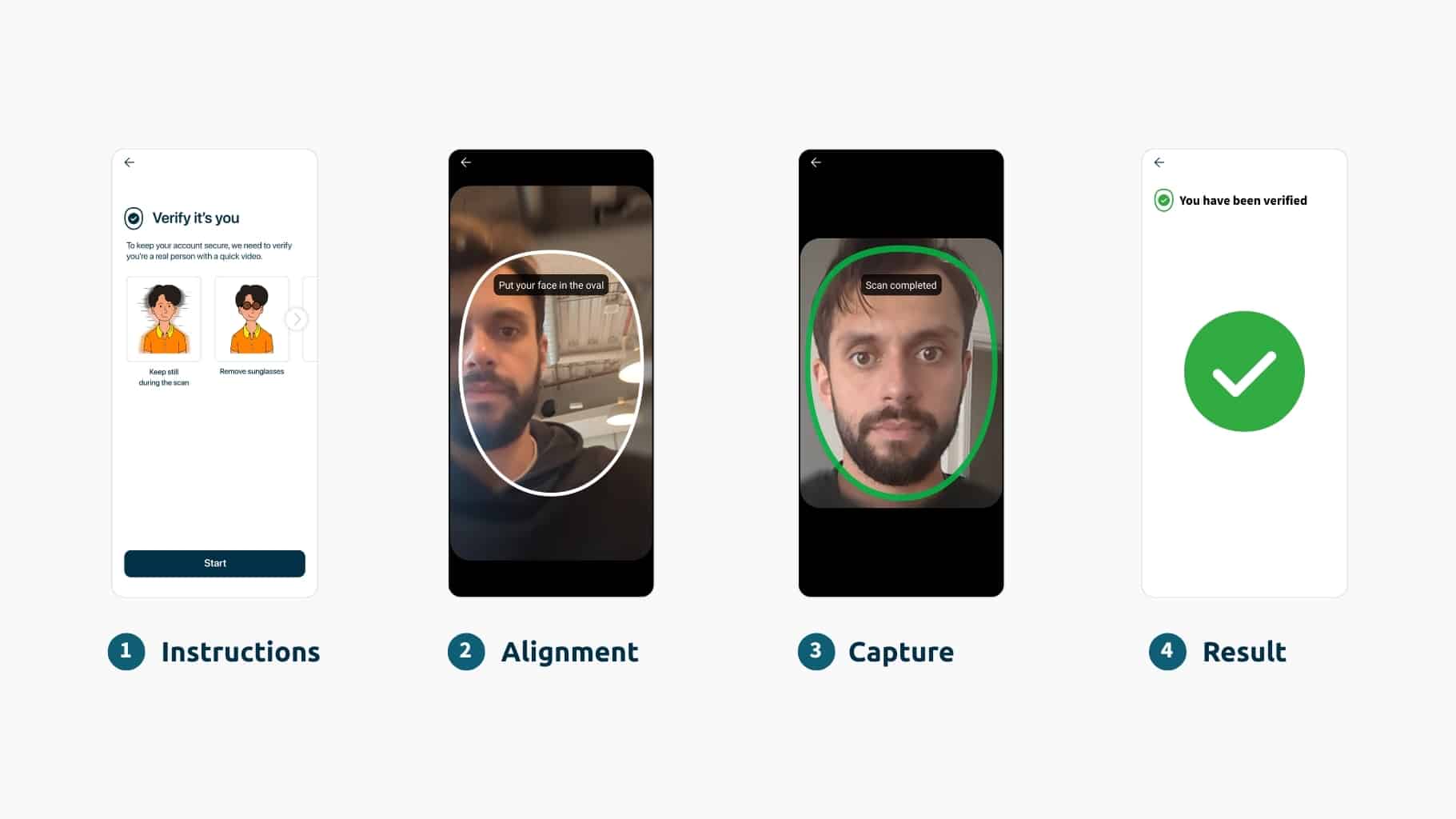
- Instructions: Shown before the capture process, instructions set expectations and demonstrate the correct behavior to help users pass the first time. Text-heavy lists exceeding three points often go unread, increasing the risk of the user failing. Iconography, animations, and GIFs reduce cognitive load and provide clarity regardless of language differences.


Visual-based user instructions reduce cognitive load, remove ambiguity,
and can improve pass rates
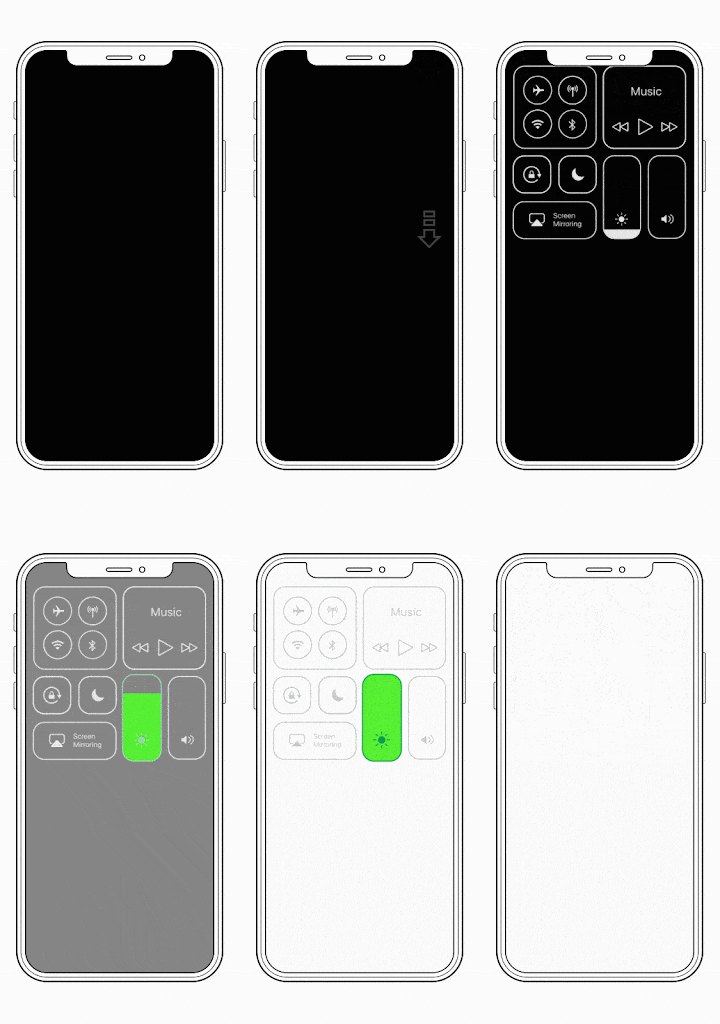
- Challenge responses: A challenge response can add security and provide further defense against replay and injection attacks. Active challenge responses give the user a task to complete, like a head-turn. Actions, even simple ones, add cognitive load and risk overwhelming users to the point of abandonment. Passive challenge responses, like iProov’s Flashmark™ technology, may project a sequence of colors onto the user’s face and analyze the reflection to help confirm whether the user is genuinely present. This experience is free from user challenges, minimizing cognitive load and improving pass rates.
4. Accessibility
The Web Content Accessibility Guidelines state that authentication processes should be free from ‘cognitive function tests’ to achieve conformance, effectively ruling out active challenges. Research shows that physical tasks become significantly harder for people with disabilities when combined with cognitive load. For example, a user with mobility issues will struggle to turn their head one way and then process further instructions to turn the other way.
Passive challenge responses add no such strain, as the user only needs to position their face in the on-screen oval.


| An active challenge response: The technology asks the user to move their head in different directions. |
iProov’s passive challenge response: A randomized sequence of colors is projected onto the user’s face |
Accessibility extends beyond the user’s capability to their device, location, and socio-economic status. A solution designed for the latest iPhone is useless to an organization with a large and diverse user base. Organizations need technologies that deliver equal performance across device types, screen sizes, processing speeds, camera qualities, and input methods (touch, mouse, keyboard, and voice).
Optimizing for accessibility is not a nice-to-have, but a business imperative. 16% of the global population has a disability, comprising a considerable section of a business’s total addressable market. Excluding these users comes at an opportunity cost.
Universal design principles state that products built for people with disabilities benefit all users. The logic being that non-disabled people aren’t always acting under perfect conditions. For example, while many users can respond to challenges requiring them to read their name and digits aloud, they may prefer not to do so in public spaces. Biometric technologies that are accredited to accessibility standards, like WCAG 2.2 AA, can improve pass rates for everyone.
5. Bias mitigation
Biometric systems are biased if they deliver higher pass rates for certain demographics than others. Bias can emerge and can be mitigated at multiple stages of biometric design:
- Training data: Algorithms built on unbalanced datasets will perform worse for underrepresented groups. Biometric vendors should use training data balanced for age, gender, skin tone, and face type.
- Continuous monitoring: Your vendor should conduct regular bias testing to ensure that threat updates or new components haven’t introduced new biases
- Device testing: Bias doesn’t just stem from demographic traits. Biometric vendors should also test to ensure equal performance across the device and camera qualities.
Want to increase your pass rates? Read our product manager’s guide to optimizing user experience and performance in face verification.