October 15, 2026
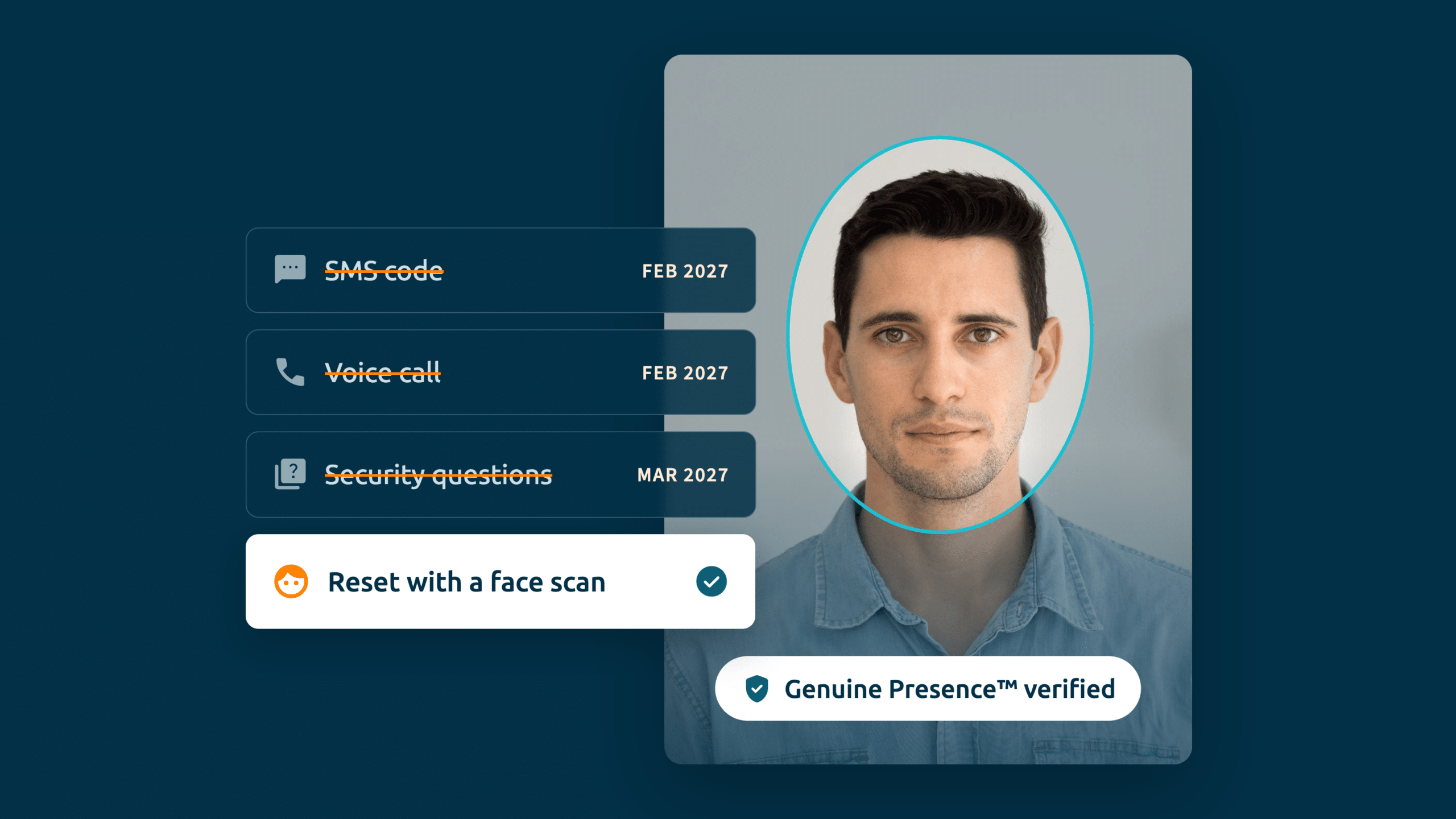
Microsoft has announced it’s retiring its own SMS and voice call delivery in Entra ID from 1 February 2027. It’s part of a broader push toward phishing-resistant authentication that already made passkeys the default sign-in method in September 2026. Many identity leaders will see this as long overdue. Others will be working out what it means for the parts of their estate that quietly depend on SMS — and one of the biggest is self-service password reset (SSPR).
SMS is one of the most common ways users verify themselves during a password reset. Take it away, and the question becomes: what’s left for SSPR, and does it work for everyone?
What’s left for SSPR without SMS and voice?
SSPR enables users to reset their password without the help desk using a registered authentication method. Once Microsoft-provided SMS and voice are gone — and with security questions also being retired, around March 2027 — the supported SSPR methods come down to a short list:
- Microsoft Authenticator — push notification or time-based code
- Hardware or software OATH tokens — a typed one-time code, deemed phishable by Microsoft
- Email one-time passcode — only as strong as the mailbox, and no help if it’s the work account they’re locked out of
Notably, the strong, phishing-resistant methods Microsoft is steering everyone toward — passkeys, Windows Hello for Business, FIDO2 security keys — can’t be used for SSPR at all. So the reset path is left with options that each need a smartphone, an app, a fob, or a mailbox.
Organizations can keep SMS alive through a customer-managed telecom provider in Microsoft’s Security Store, but that retains a phishable factor at a new cost — a stop-gap, not a fix.
SSPR Was Already Out of Reach for the Frontline
For a desk-based employee with a company phone, one of those methods usually works. For deskless, frontline, and shift workers, often none of them does.
In many manufacturing plants, warehouses, retail stores, and call centers, personal phones aren’t allowed on the floor. In fact, 64% of frontline workers operate under partial or complete smartphone restrictions on the production floor (Weavix, 2025). If a worker can’t carry a phone, they can’t register the Authenticator app or receive an OTP — which means they were never enrolled in Multi-Factor Authentication (MFA), and SSPR was never available to them in the first place. For this population, removing SMS doesn’t make self-service reset harder; it confirms that the one low-friction method that might have reached them is gone.
So teams improvise. Passwords get written on sticky notes beside shared terminals, devices are left permanently logged in, and a single login is shared across a whole line — so a reset on one shift locks out the next. These aren’t lapses in discipline; they’re what happens when the recovery process doesn’t fit how people actually work.
The Cost of the Recovery Gap
When self-service doesn’t work, every lockout becomes a help desk ticket or a manager’s approval. According to Gartner, password resets and lockouts account for up to 50% of help desk tickets, at an average labor cost of around $70 per reset (Forrester, 2022). For a frontline worker, this also carries significant cost in lost productivity. Our customer interviews put the time to fully recover a locked-out employee at anywhere from 30 minutes to a full day, and one large enterprise security team told us it carries roughly two full-time staff on manual recovery alone.
The help desk is also a weak link. When someone calls in, agents have no real way to know who they’re speaking to. Scattered Spider proved just how easy it is to socially engineer the help desk and persuade them to reset MFA, leading to damaging account takeovers on MGM, M&S, Co-op, Qantas, and many more. Doing nothing isn’t free: it’s a standing operational cost and an open attack vector.
Verify the Person, Not the Device
The way to close the gap is to move from verifying a credential or a device to verifying the person. iProov adds a cloud-based biometric identity layer to Microsoft Entra ID. Users enroll once with their ID and face, and thereafter can reset their password or recover their account with a single face scan.
Because it verifies the person rather than a credential, it can’t be lost, stolen, or intercepted, and it’s built to resist deepfake and injection attacks. It runs in the browser on any camera-enabled device, such as a shared workstation or a kiosk on the shift floor. With no smartphone, companion app, or token required, it reaches the lost-device and shared-device scenarios the native SSPR methods can’t.
When a user requests a reset, they’re redirected to iProov, verify with their face, and the password is written back to Active Directory for hybrid Entra estates, or a Temporary Access Pass is issued. The same check can replace the knowledge-based questions in a help-desk recovery, closing the social-engineering vector.
Planning for the Deadline
The 1 February 2027 deadline forces every user off Microsoft-provided SMS and voice. For deskless and shared-device workers — and for anyone locked out with no device to prove who they are — the method they move to has to work without a phone in their pocket. The teams that come through this smoothly will be the ones that identify those users now and give them a recovery path that doesn’t depend on a device at all.